Contents
AI assistant and MCP
Connect an AI assistant (MCP)
Pro
Claude Desktop, Claude Code, Cursor or another MCP-compatible assistant (Model Context Protocol) can run commands and handle files on your SSH sessions, through SSHive. Your passwords and your keys are never handed to it: SSHive is what connects.
By Lucas Russo, developer of SSHive · Updated
Turning the server on
- Settings > MCP, Server tab.
- Turn Enable MCP server on. The state becomes Active,
127.0.0.1:49422.
The server only listens on this Mac: nothing is exposed on the network. The programs of the Mac that hold the token can call it.
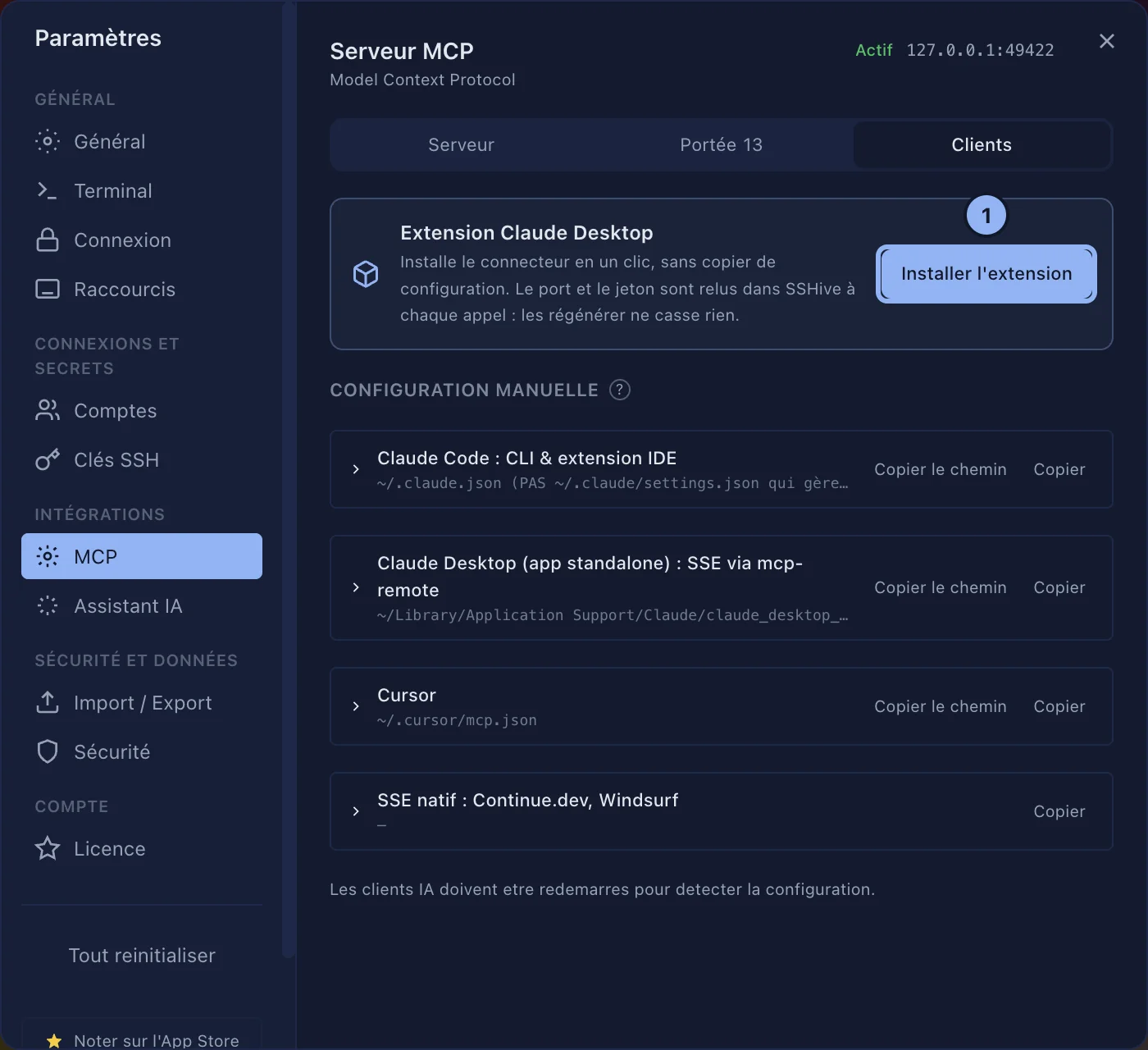
Claude Desktop: the extension
- Clients tab, Claude Desktop extension card, Install the extension.
- Claude Desktop shows its own installation window. It asks for the SSHive token: in SSHive, Server tab, Advanced: port, token, Copy, then paste. Leave the Port at 49422.
- In a Claude Desktop conversation, ask for example "List my SSHive sessions".
Claude Code, Cursor and the others
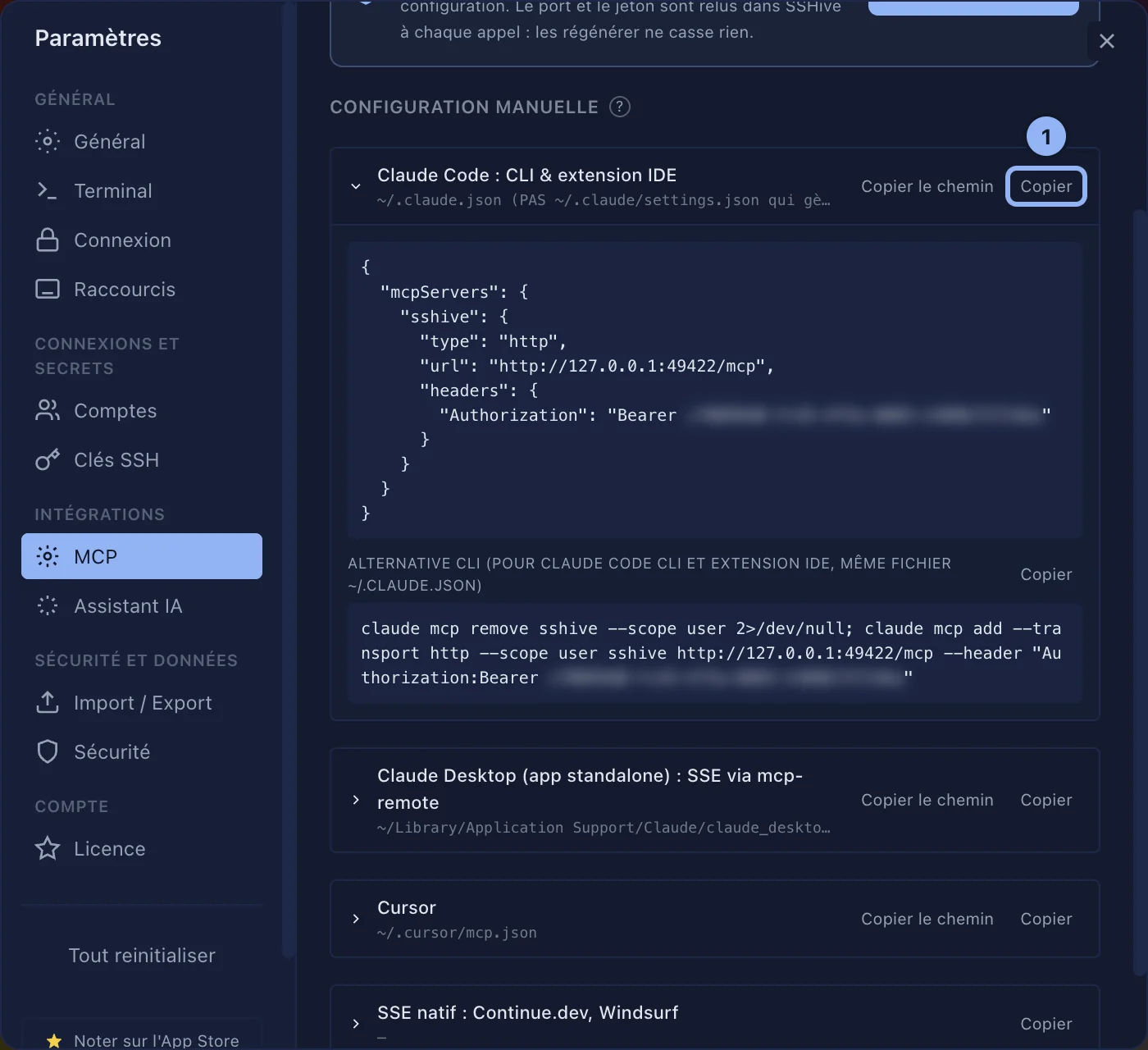
Clients tab, Manual configuration: a block ready to copy for each client, with the Copy button, and Copy path for the file to paste it into.
- Claude Code: the simplest way is the command of the CLI alternative block, to paste into the Terminal:
claude mcp add --transport http --scope user sshive http://127.0.0.1:49422/mcp --header "Authorization:Bearer <token>"- Cursor: paste the block into
~/.cursor/mcp.json:
{
  "mcpServers": {
    "sshive": {
      "type": "http",
      "url": "http://127.0.0.1:49422/mcp",
      "headers": { "Authorization": "Bearer <token>" }
    }
  }
}- Continue.dev, Windsurf: the native SSE block (
http://127.0.0.1:49422/sse).
Then restart the client.
Port and token
Advanced: port, token: Port (49422 by default, changeable while the server is stopped) and Bearer Token (Copy, Regenerate). Regenerating cuts the clients you set up by hand off: paste the new token into them.
Applies to SSHive 2.0.6 on Mac