Contents
Authentication and keys
Server fingerprints (host keys)
On a first connection SSHive shows the server's fingerprint and asks you to trust it, as ssh does. It then remembers it, and warns you if it changes.
By Lucas Russo, developer of SSHive · Updated
The first connection
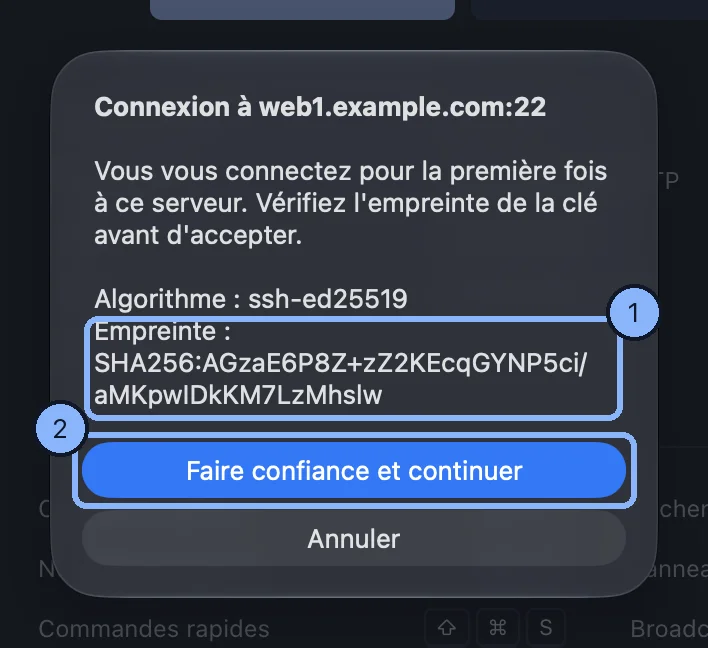
The Unknown SSH Key dialog shows the algorithm and the SHA256:… fingerprint. Compare it with the one the server's administrator gives you, or with the output of ssh-keygen -lf /etc/ssh/ssh_host_ed25519_key.pub on the server, then Trust and continue.
The fingerprint has changed
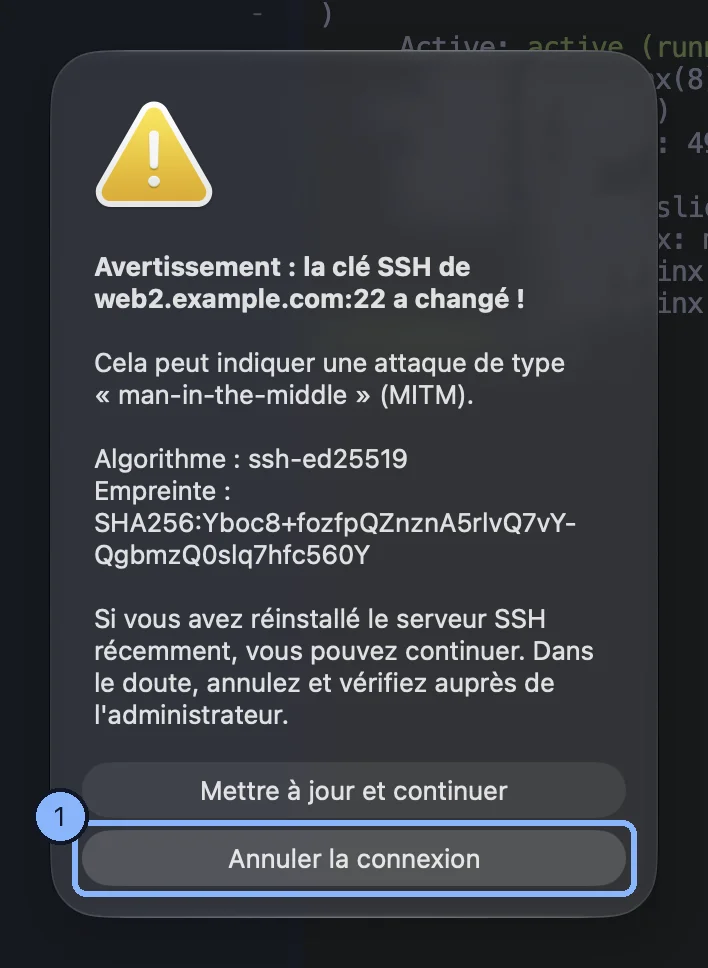
The SSH Security Warning dialog says the server's SSH key has changed. That can mean the connection is being intercepted. If the server was reinstalled, Update and continue; when in doubt, cancel the connection and check with the administrator.
Managing the servers you trust
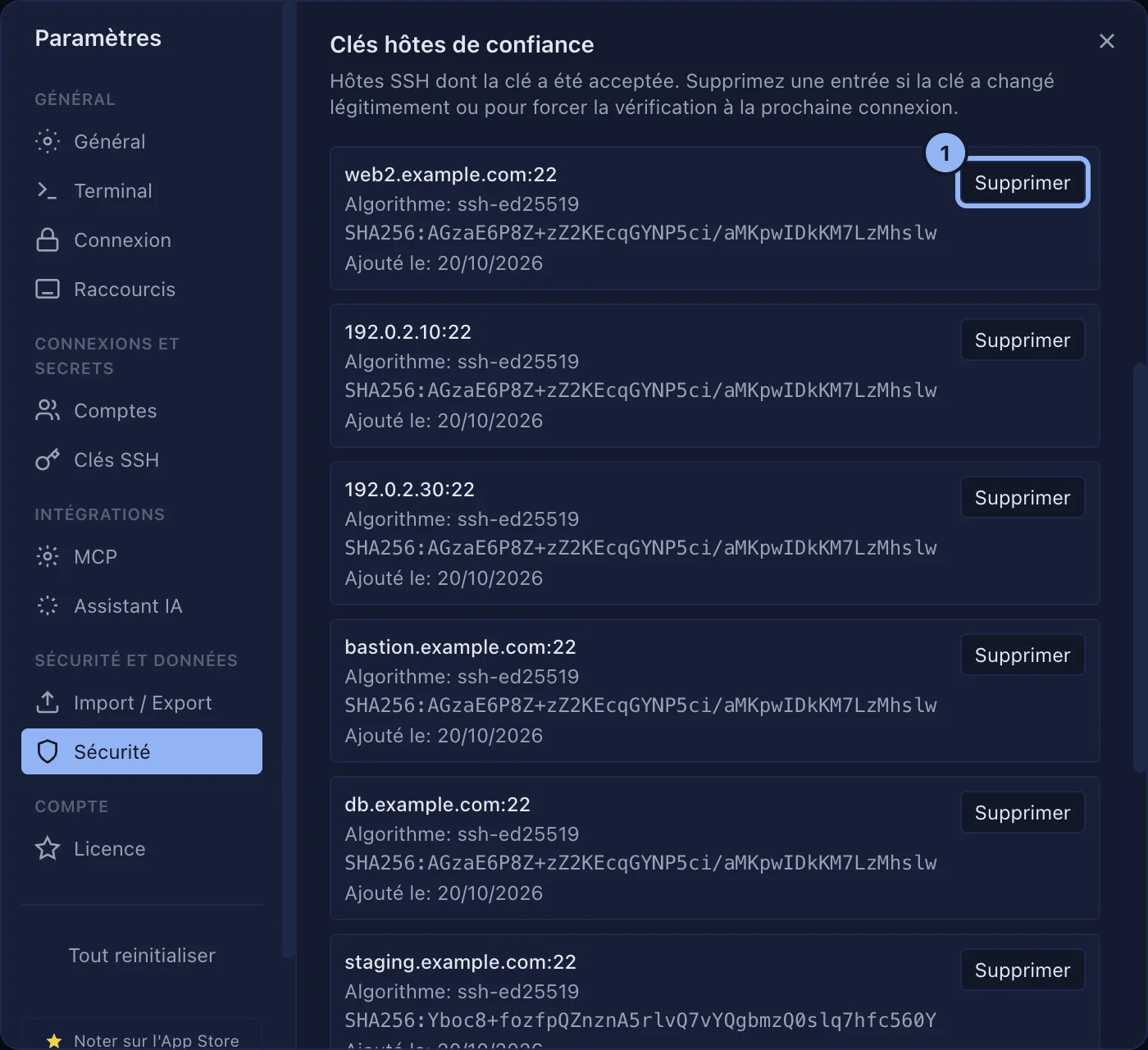
Settings > Security, the Trusted host keys section: each server with its algorithm, its fingerprint and the day it was added. Delete, then Confirm removal, so that the question is asked again on the next connection. The Trusted VNC servers section works the same way.
Applies to SSHive 2.0.6 on Mac