Contents
Getting started
Free and Pro
SSHive is free, with no time limit. SSHive Pro is a one-off in-app purchase, with no subscription. The price is the one the App Store shows (see pricing).
By Lucas Russo, developer of SSHive · Updated
What differs
| Free | Pro | |
|---|---|---|
| SSH sessions at the same time | 2 | Unlimited |
| Saved servers | 5 | Unlimited |
| File upload over SFTP | 10 MB per file | No limit |
| Local tunnels (-L) | 1 | 10 per server |
| Remote tunnels (-R), SOCKS5 proxy (-D) | No | Yes |
| Your own quick commands | 3 | Unlimited |
| OTP Authenticator tokens | 3 | Unlimited |
| Windows remote desktop (RDP) and VNC | No | Yes |
| Broadcast (one command, several servers) | No | Yes |
| Jump hosts | No | Yes |
| Shared accounts | No | Yes |
| Export and import of profiles | No | Yes |
| Session log | No | Yes |
| Light and System themes | No | Yes |
| iCloud sync | No | Yes |
| MCP server for AI assistants | No | Yes |
In both versions: the terminal, SFTP, FTP and FTPS, Telnet, the serial console, the network tools, tab groups, SSH keys, SSH agents, the terminal's AI assistant (with your own key), and the Dark and High Contrast themes.
Upgrading to Pro
- Click a PRO badge in a form, or FREE in the status bar, or open Settings > License and click Upgrade to Pro.
- The SSHive Pro window lists what Pro unlocks, with the App Store price. Click Upgrade to SSHive Pro.
- Confirm the purchase in the App Store window.
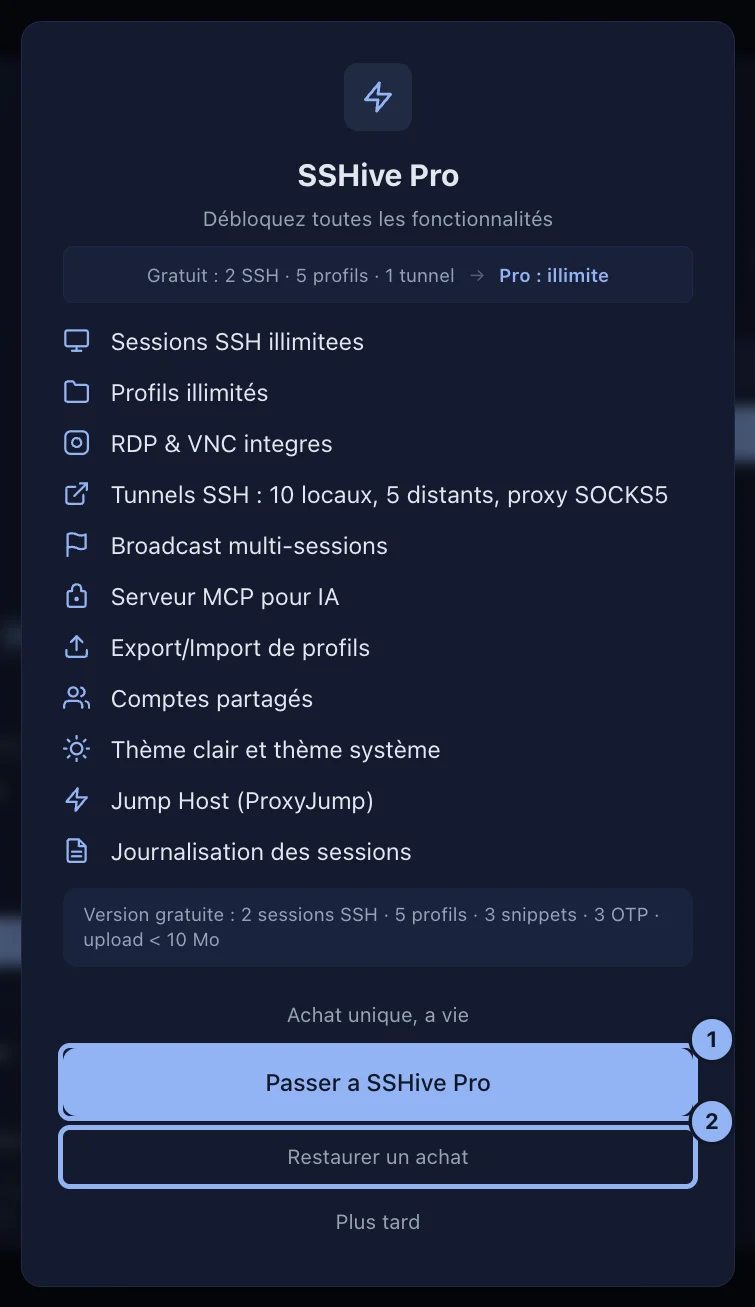
Finding Pro again on another device
The purchase is tied to your Apple Account and counts for the Mac, the iPhone and the iPad: it is a Universal Purchase, and Family Sharing is on. On the Mac: Settings > License, Restore purchases. Plan then reads SSHive Pro.
Applies to SSHive 2.0.6 on Mac, iPhone and iPad