Contents
Security and data
Lock SSHive (master password)
One password in front of everything, for a Mac that is not always alone in the room.
By Lucas Russo, developer of SSHive · Updated
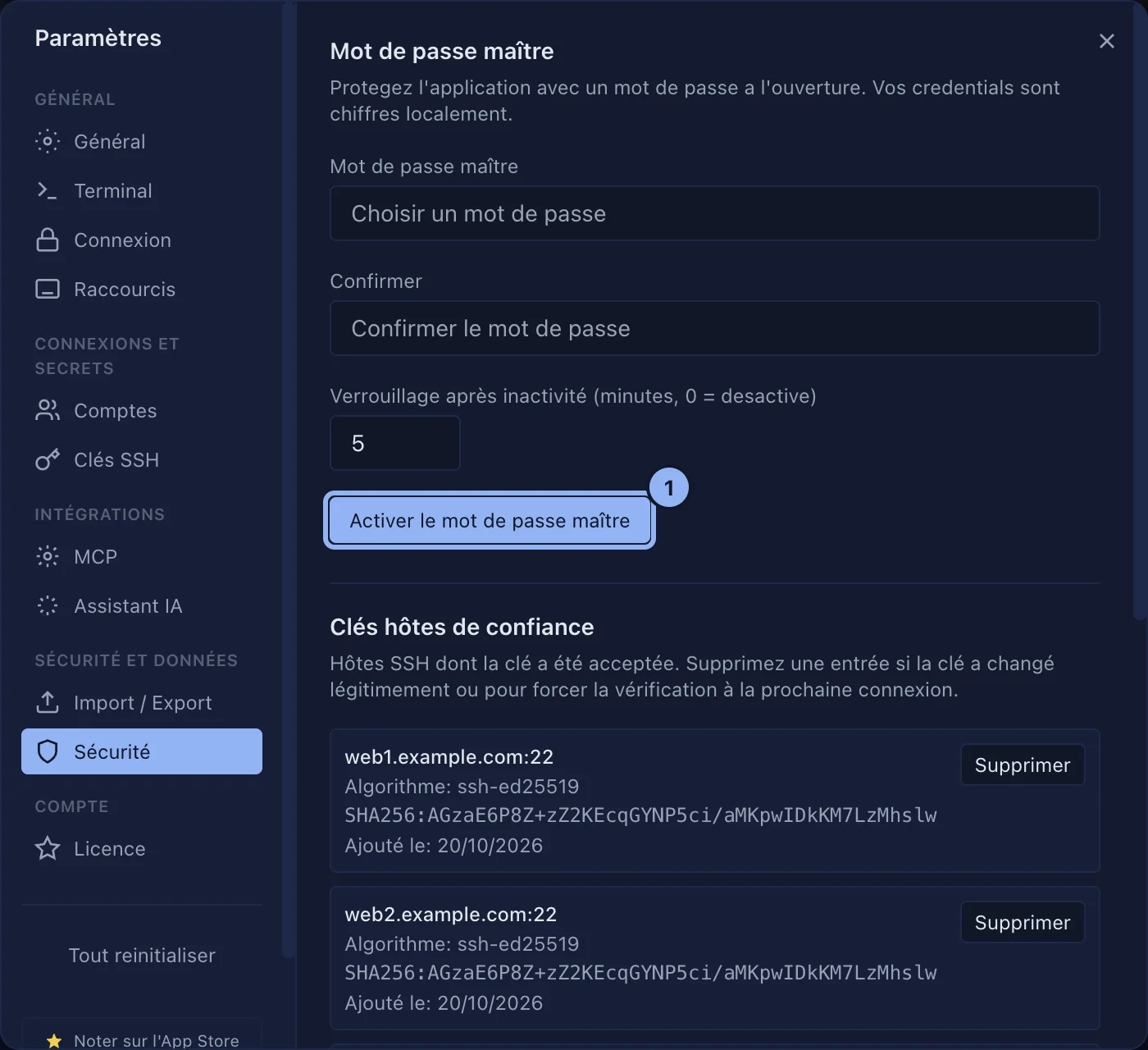
- Open Settings > Security, Master password block.
- Type a password (8 characters at least) and confirm it.
- Set the inactivity lock, in minutes (0 to never lock on inactivity).
- Click Enable master password.
SSHive also locks when the Mac goes to sleep and when your macOS session locks. Lock now does it on demand.
Locked, SSHive hides the whole interface and refuses input and connections, the AI assistant included. With Disconnect sessions on lock, it closes the SSH, RDP, VNC, Telnet and serial sessions as well.
Applies to SSHive 2.0.6 on Mac