Contents
Reference
Settings
To open it: ⌘,, the SSHive > Settings… menu, or the button of the sidebar. The window is called Settings.
By Lucas Russo, developer of SSHive · Updated
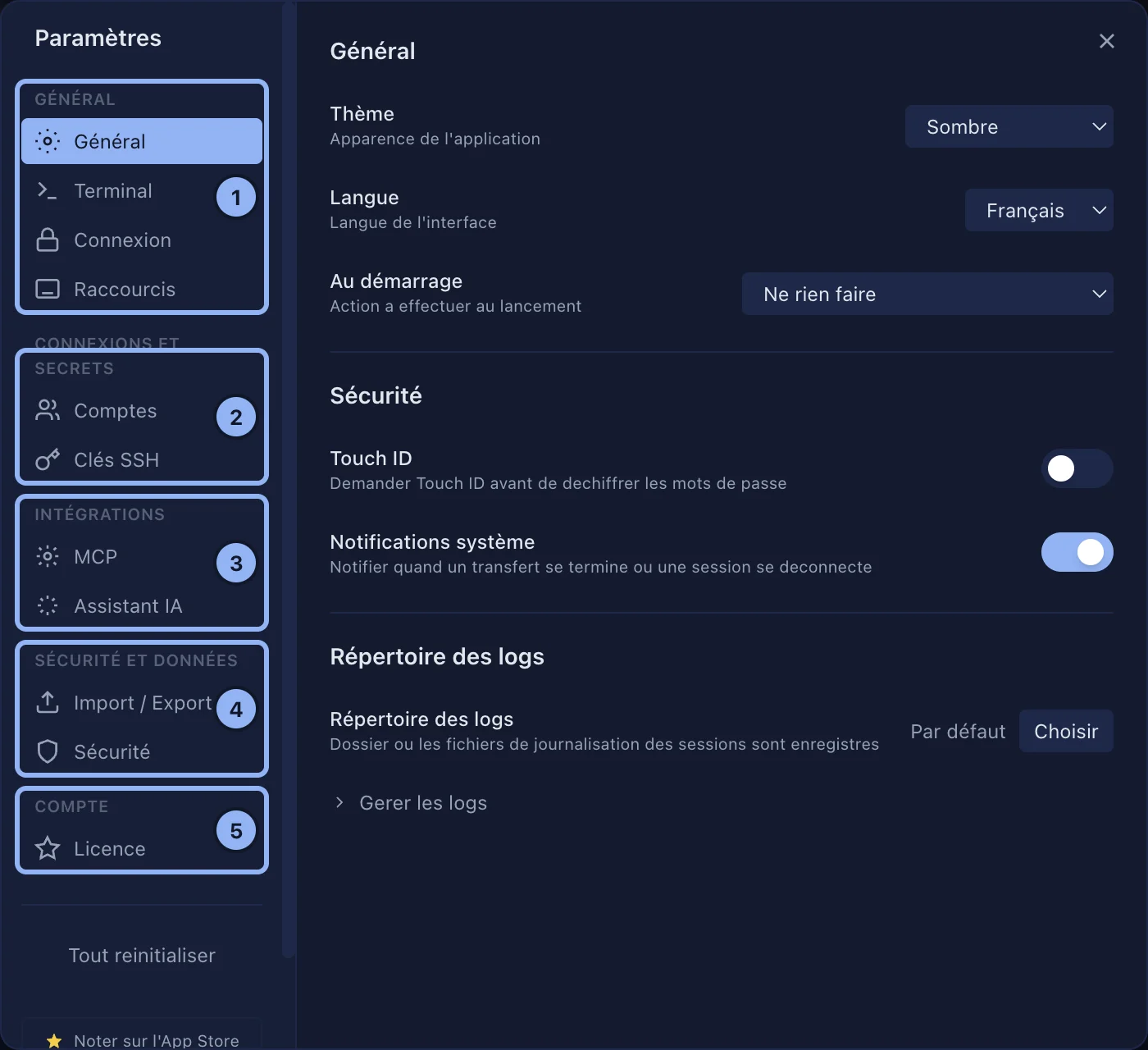
| Tab | What it holds | Page |
|---|---|---|
| General | Theme, language, what happens at startup, Touch ID, notifications, the log folder | below |
| Terminal | Font, size, scrollback, cursor, copy on select, OSC 52, screen reader, the Option key, the terminal theme | Using the terminal |
| Connection | SSH (port, keepalive, timeout), SSH agent, RDP, VNC | below |
| Shortcuts | Every shortcut, all of them changeable | Shortcuts |
| Accounts | Shared accounts | Shared accounts |
| SSH Keys | Generate, import and install keys | SSH keys |
| MCP | Server, scope, clients | MCP |
| AI Assistant | Provider, model, key | The terminal AI assistant |
| Security | Master password, Touch ID for the OTP vault, SSH and VNC fingerprints | Locking SSHive |
| iCloud Sync | Synchronisation | iCloud |
| Import / Export | Export, import, other software | Export and import |
| License | Plan, Restore purchases | Free and Pro |
General
| Setting | Default | What it does |
|---|---|---|
| Theme | Dark | Dark, High Contrast; Light and System with Pro |
| Language | That of the Mac | English, French, Spanish, German; changes at once |
| On startup | Nothing | Or Show connection dialog, Restore sessions |
| Touch ID | Off | Touch ID before every SSH connection |
| System Notifications | On | End of a transfer, session disconnected, when SSHive is not in front |
| Log Directory | The default one | Folder of the session logs; Manage logs |
Connection
| Card | Setting | Default |
|---|---|---|
| SSH | Default port | 22 |
| Keepalive | 30 seconds (0 turns it off) | |
| Connection timeout | 10 seconds | |
| SSH authentication | SSH Agent | Automatic (SSH agents) |
| RDP | Default port | 3389 |
| VNC | Send clipboard to the VNC server | Off |
Reset all
At the bottom of the Settings sidebar, two clicks: see Your data. Your own shortcuts are not reset; that is done in Shortcuts.
Applies to SSHive 2.0.6 on Mac