Contents
Terminal
The terminal's AI assistant
You choose the provider and use your own key: Claude, OpenAI, Gemini and Mistral, or an OpenAI-compatible server on your own network, such as LM Studio, Ollama or vLLM.
By Lucas Russo, developer of SSHive · Updated
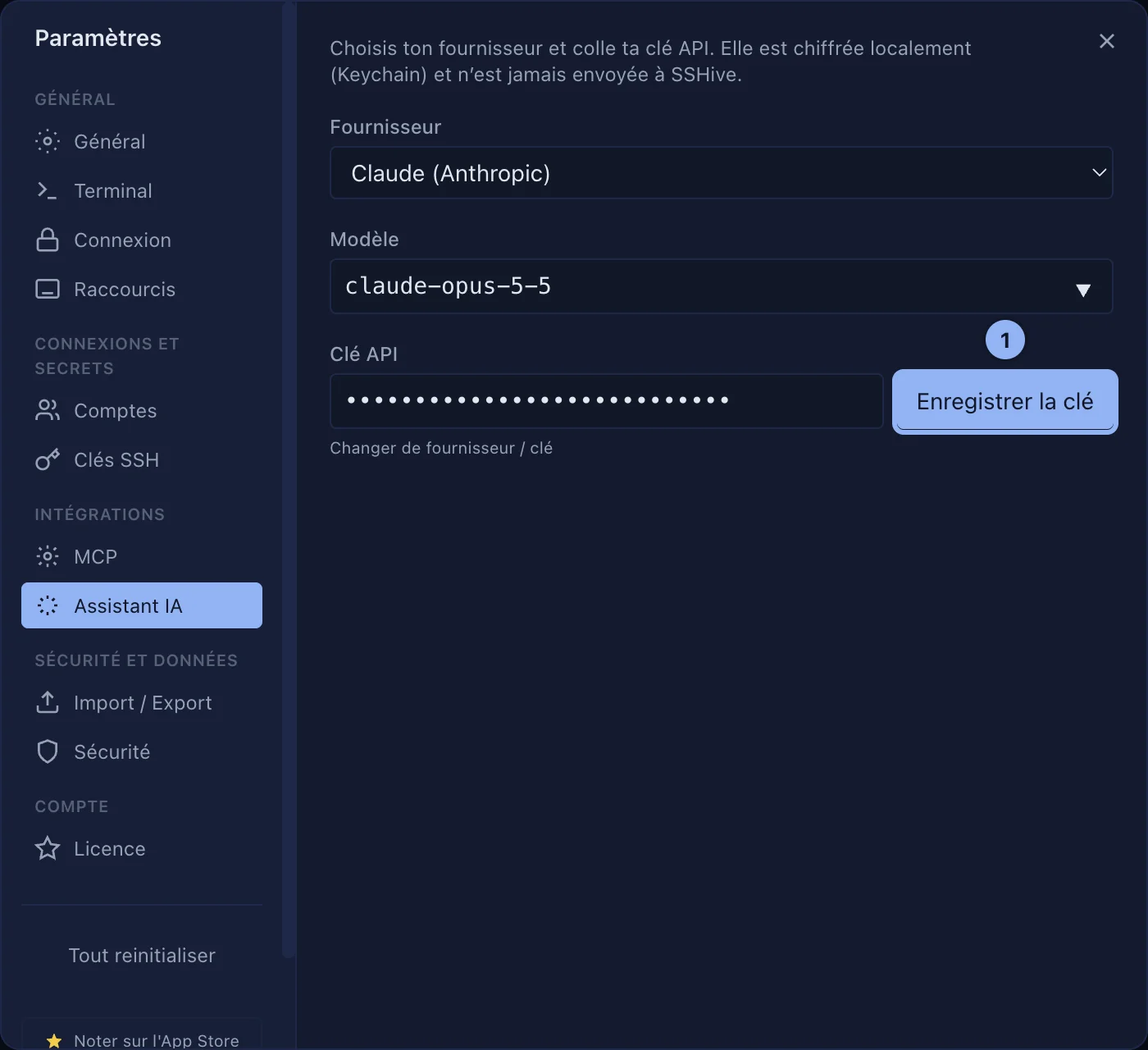
- Settings > AI Assistant: choose the Provider and the Model, paste the API key, then Save key. It is encrypted on this Mac and is never sent to NetMeSafe.
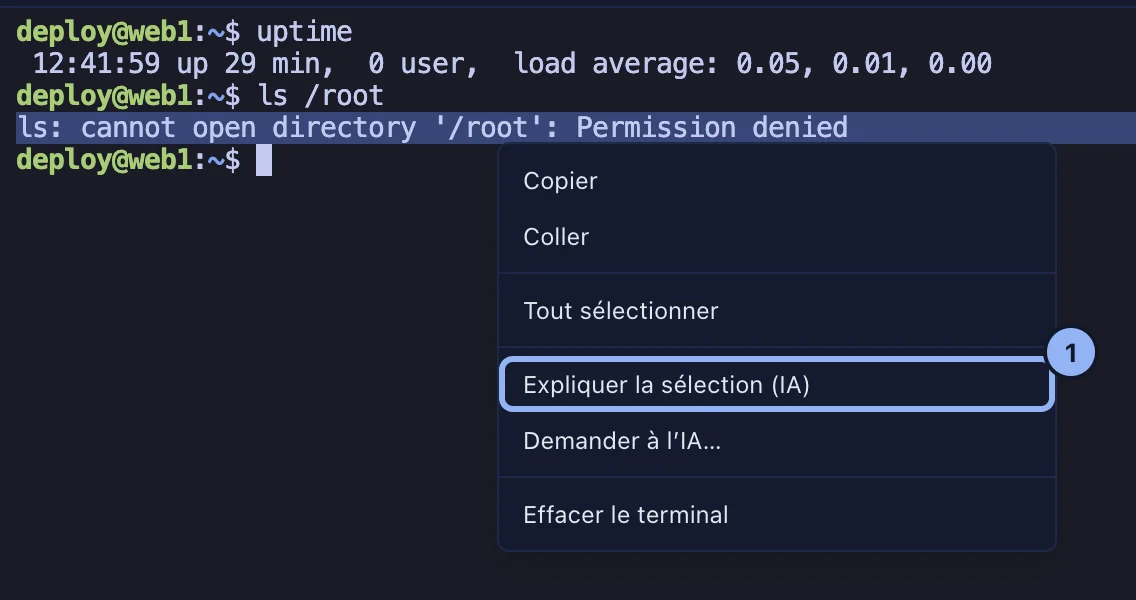
- In the terminal, select some text, right-click, and ask for the selection to be explained. Or ask the assistant a question of your own.
- In the panel, → Command turns a request into a command.
For an assistant that acts on your servers itself, see the AI assistant and MCP.
Applies to SSHive 2.0.6 on Mac