Contents
Terminal
Use quick commands
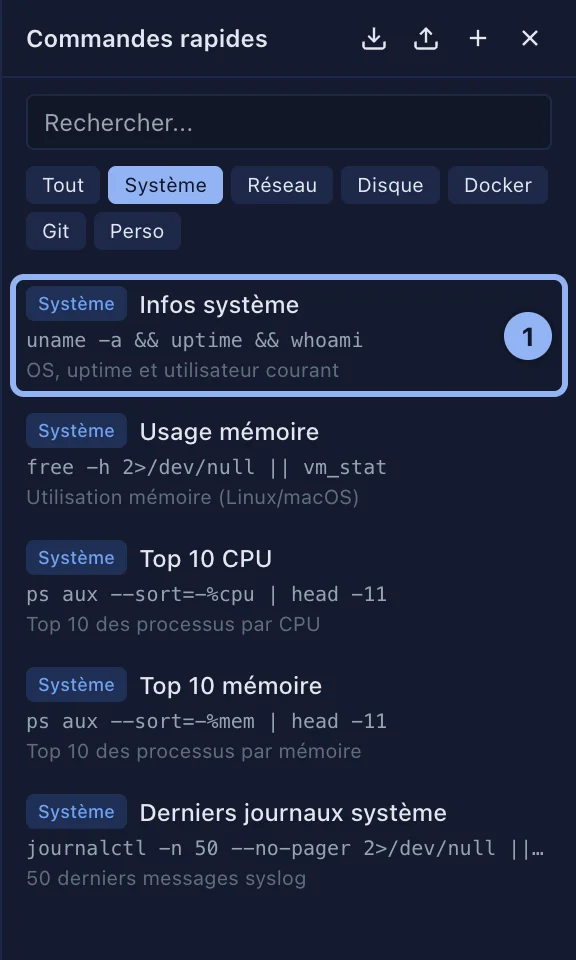
Your frequent commands, one click away. 14 come with the app, for system information, disk, memory, processes, ports, Docker, Git and logs. You add your own.
By Lucas Russo, developer of SSHive · Updated
- Open the panel: the Quick Commands button, or ⌘⇧S.
- Filter by category, System, Network, Disk, Docker, Git and Custom, or search.
- Click a command: it is written into the terminal, without being run. Check it, then press Return.
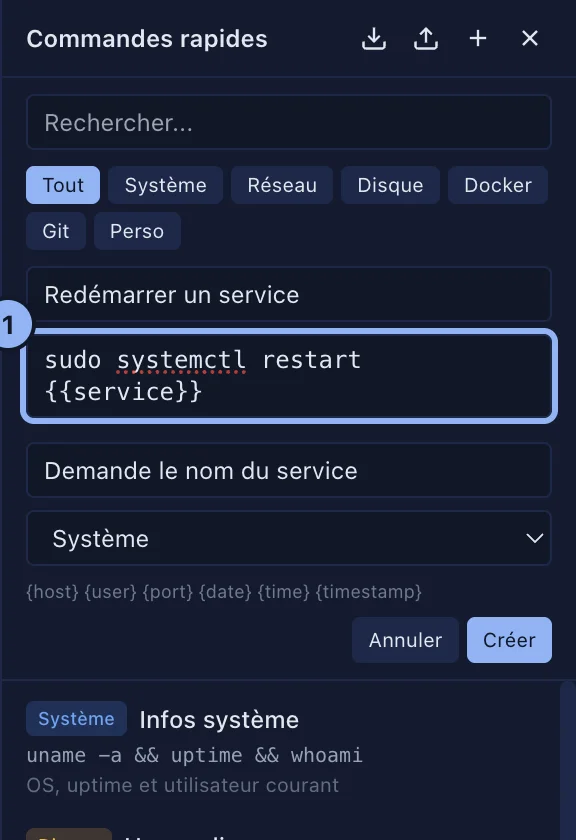
Creating a command
New command: a Name, the Command, a Description (optional), a category, then create it.
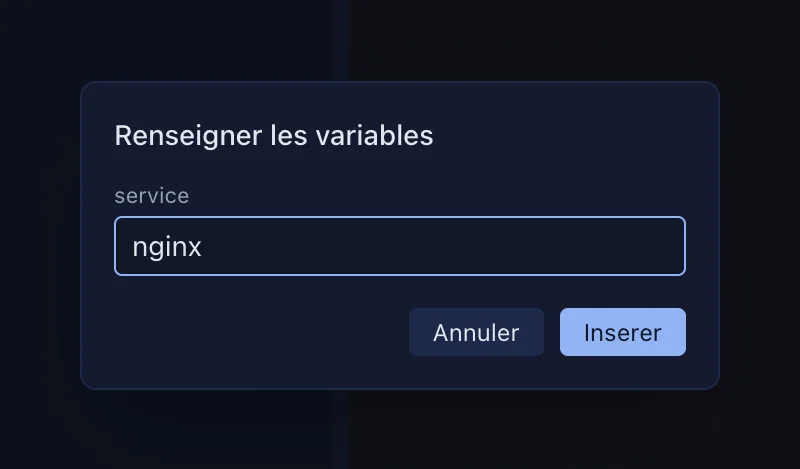
Variables filled in for you: {host}, {user} and {port}, from the tab's server, plus {date}, {time} and {timestamp}. For a value to type at the moment it is inserted, write {{name}}, or {{name?}} when it is optional: SSHive then asks for it in Fill in the variables.
Applies to SSHive 2.0.6 on Mac