Contents
Security and data
Your data, and resetting
What SSHive keeps, where, and what a reset touches.
By Lucas Russo, developer of SSHive · Updated
Where your data is
On this Mac, in the folder of the application: profiles, accounts, settings, server fingerprints, quick commands, history. Passwords, passphrases and private keys are encrypted there by the Keychain; the OTP vault by its own password. Nothing is sent to NetMeSafe, as the privacy policy says.
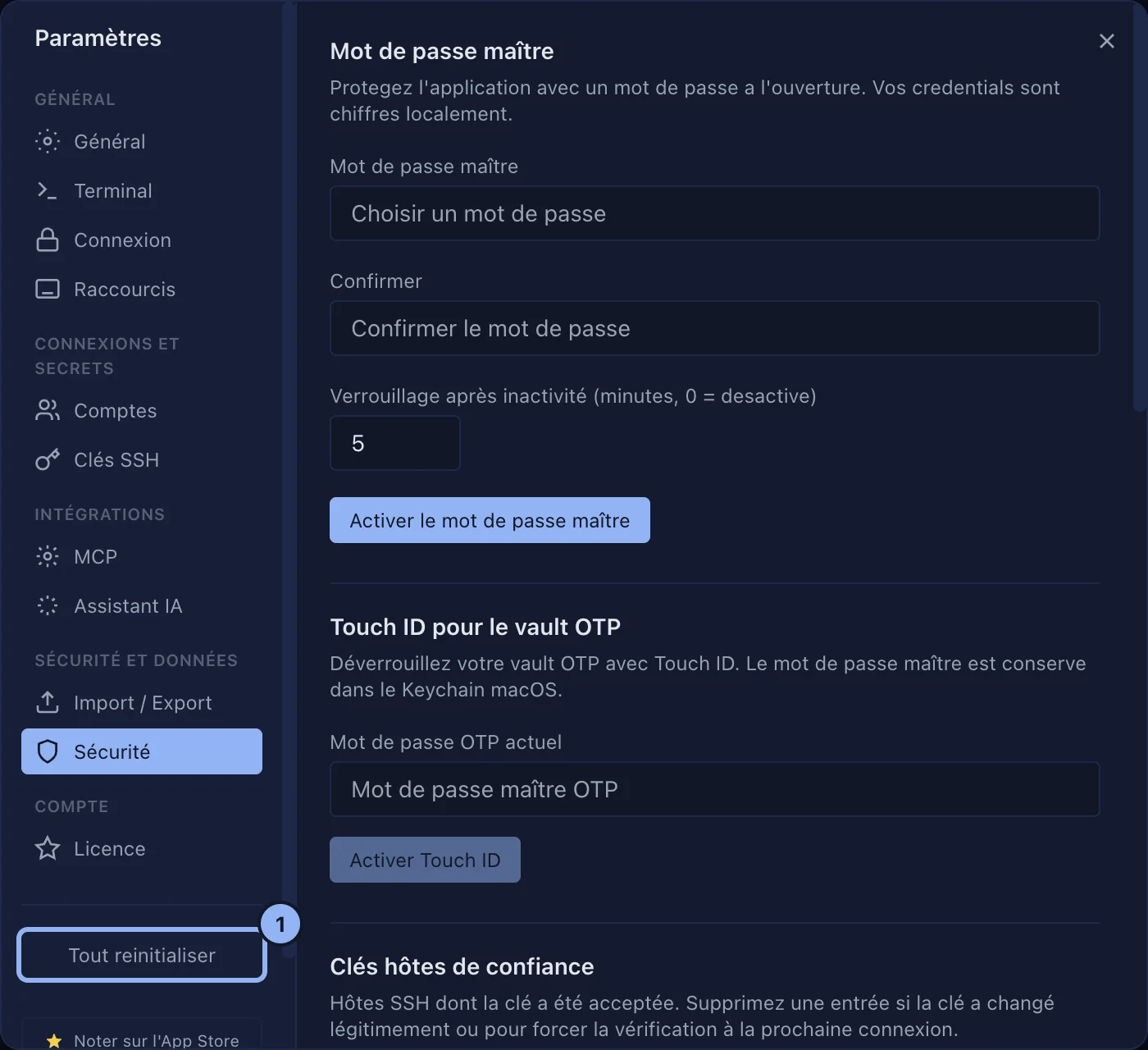
What Reset all resets
Reset all, at the bottom of the Settings sidebar, two clicks, puts only the settings back to their default values. Profiles, passwords, keys, fingerprints and the OTP vault stay. Kept as well: the master password, Touch ID, the MCP server and its token, iCloud sync, and the choice of SSH agent.
The agreements given to agents and the access to ~/.ssh/config are withdrawn: SSHive will ask for them again.
Keyboard shortcuts are not among them either: your own stay as they are, and each one goes back on its own, in Settings > Shortcuts, with the entry that restores the default shortcut.
The log
~/Library/Containers/com.netmesafe.sshive/Data/Library/Logs/SSHive/main.log, and main.old.log takes over past 10 MB. No menu of the application opens it: in the Finder, Go > Go to Folder, and paste that path. It is worth sending only when we ask for it.
Applies to SSHive 2.0.6 on Mac