Contents
Other connections
Telnet
For an old piece of network equipment, a printer, or a service that speaks nothing but Telnet.
By Lucas Russo, developer of SSHive · Updated
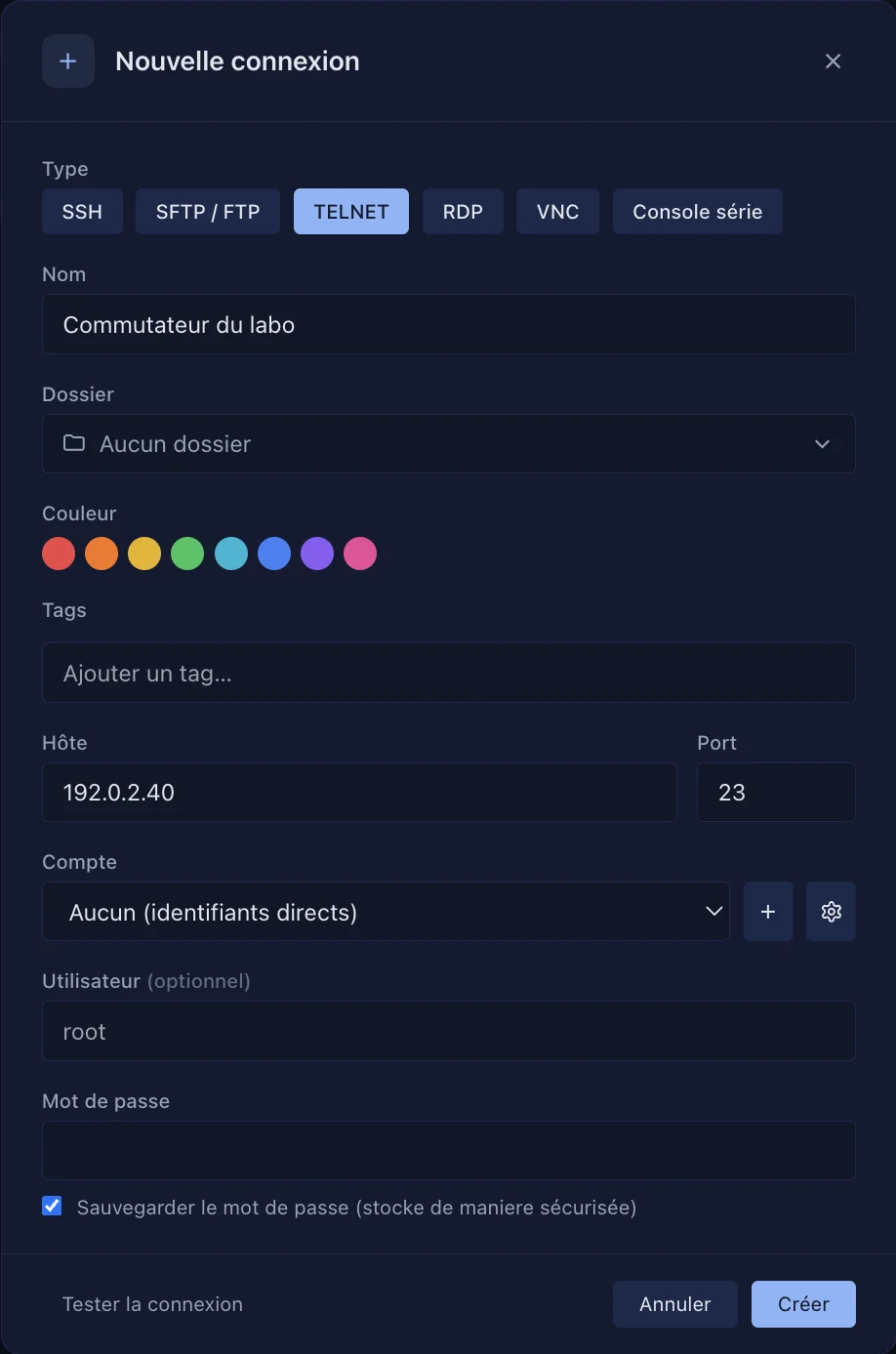
- New Connection, Type: TELNET. Port 23 by default.
- Username and Password are optional. If they are filled in, SSHive sends them when the equipment asks for
login:and thenpassword:. - Create, then double-click to connect.
The session log works in Telnet; the file panel does not.
Applies to SSHive 2.0.6 on Mac